

You can customize the appearance and behavior of the Rive code editor by editing its configuration file. Your settings will be reflected in all code editor views for your user account.Documentation Index
Fetch the complete documentation index at: https://rive-accessibility.mintlify.app/llms.txt
Use this file to discover all available pages before exploring further.
Opening the Configuration
Press ⌘ + , on macOS or Ctrl + , on Windows to open the editor configuration.Editing the Config
The configuration file returns a Lua table. Start with the default configuration and override any settings you want to change.Example Configuration
Available Options
| Option | Description |
|---|---|
config.theme | The editor theme. |
config.code.fontSize | Font size used in the code editor. |
config.code.lineHeight | Height of each line of code. |
config.code.selectionCornerRadius | Corner radius of the selection highlight. |
config.code.executionTimeoutMs | Maximum time a script can run before being stopped. |
To browse available themes, type: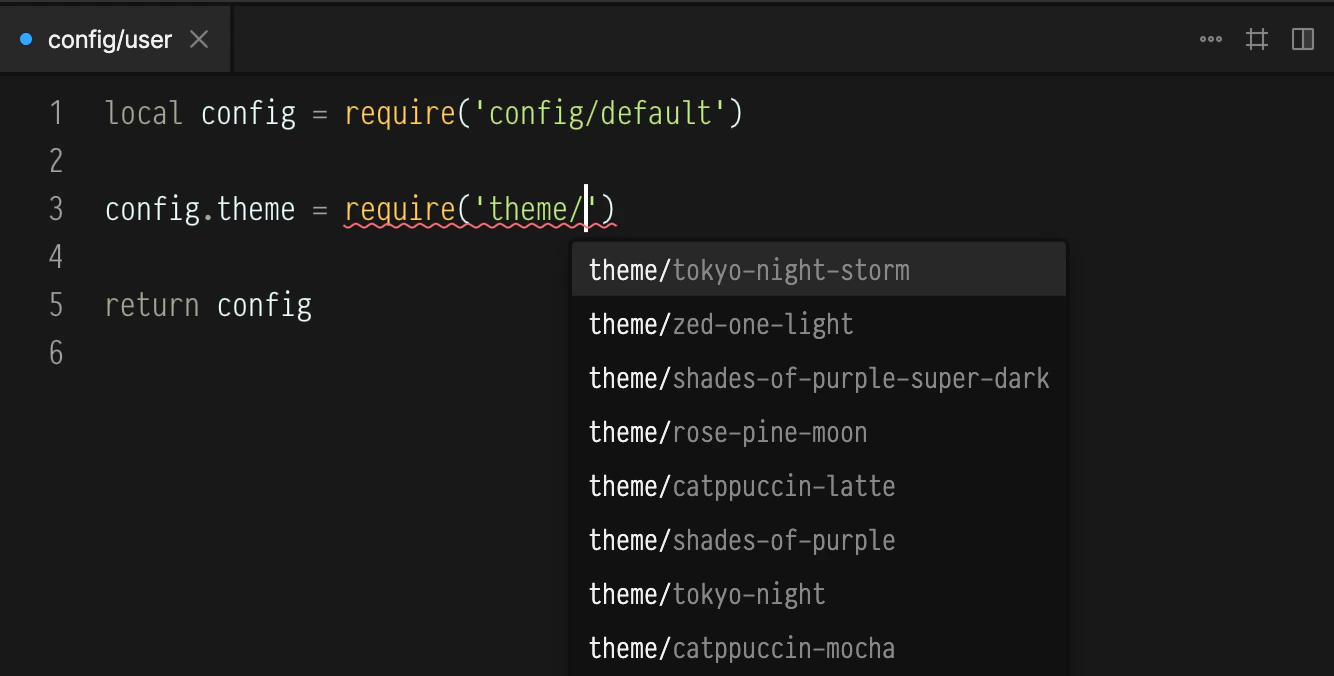
config.theme = require('theme/')The editor will show the full list through autocomplete.