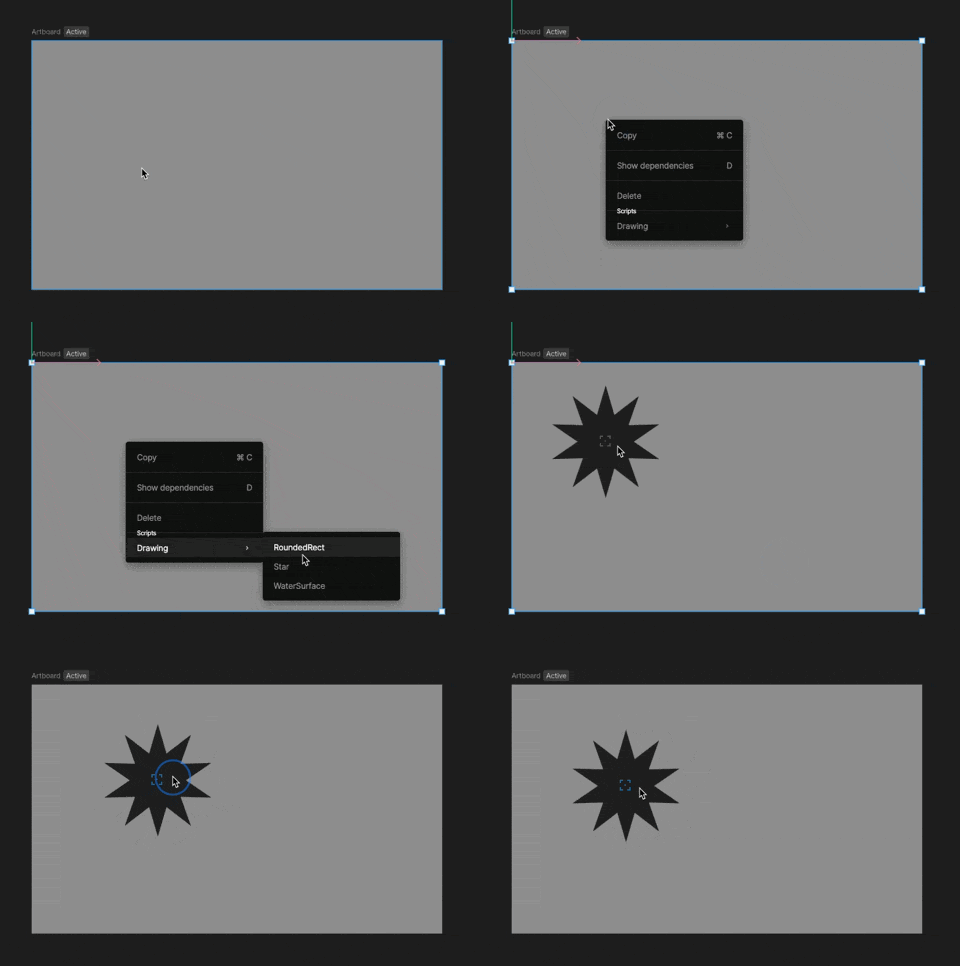
There are two ways to create a new script, from the Assets Panel and with the Scripting tool.Documentation Index
Fetch the complete documentation index at: https://rive-accessibility.mintlify.app/llms.txt
Use this file to discover all available pages before exploring further.
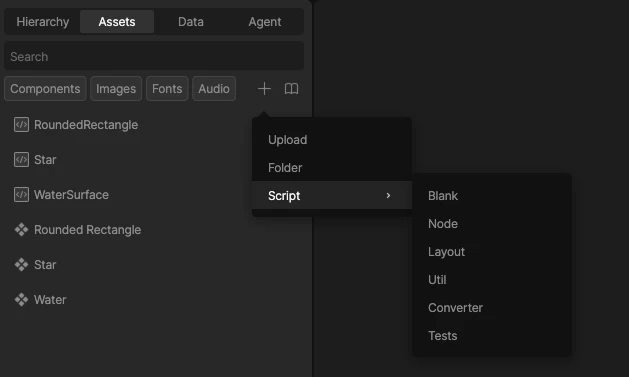
Creating a Script from the Assets Panel
- In the Assets Panel, click the
+button. - Choose Script and select the Protocol (type of script) you’d like to create.
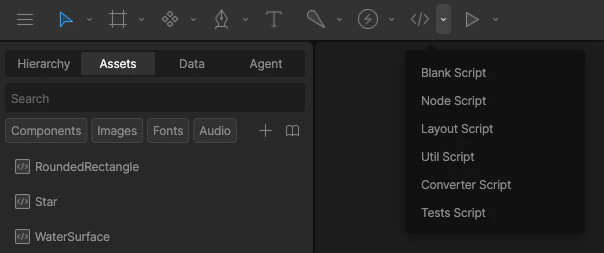
Creating a Script with the Scripts Tool
- Select the dropdown icon next to the Script button in the Toolbar
- Select the Protocol (type of script) you’d like to create.
Adding Scripts to Your Scene
To run Node and Layout scripts, they need to be added to the scene.- Right-click the artboard you’d like to add your script to and select your script from the menu
- Position the script object, keeping in mind that the script’s position will determine where it’s rendered
- Select the group to set inputs (See Script Inputs)