Documentation Index
Fetch the complete documentation index at: https://rive-accessibility.mintlify.app/llms.txt
Use this file to discover all available pages before exploring further.
Triggering Events
In the Unreal runtime, “events” are modeled as ViewModel Trigger Properties. Fire and observe triggers through the ViewModel Instance.Use Trigger Properties for one-shot actions (clicks, milestones, transitions).
Recommended Flow
- Define a Trigger Property in your Rive ViewModel (for example
OnClick). - In Unreal, create and bind a ViewModel Instance to your Rive widget or artboard.
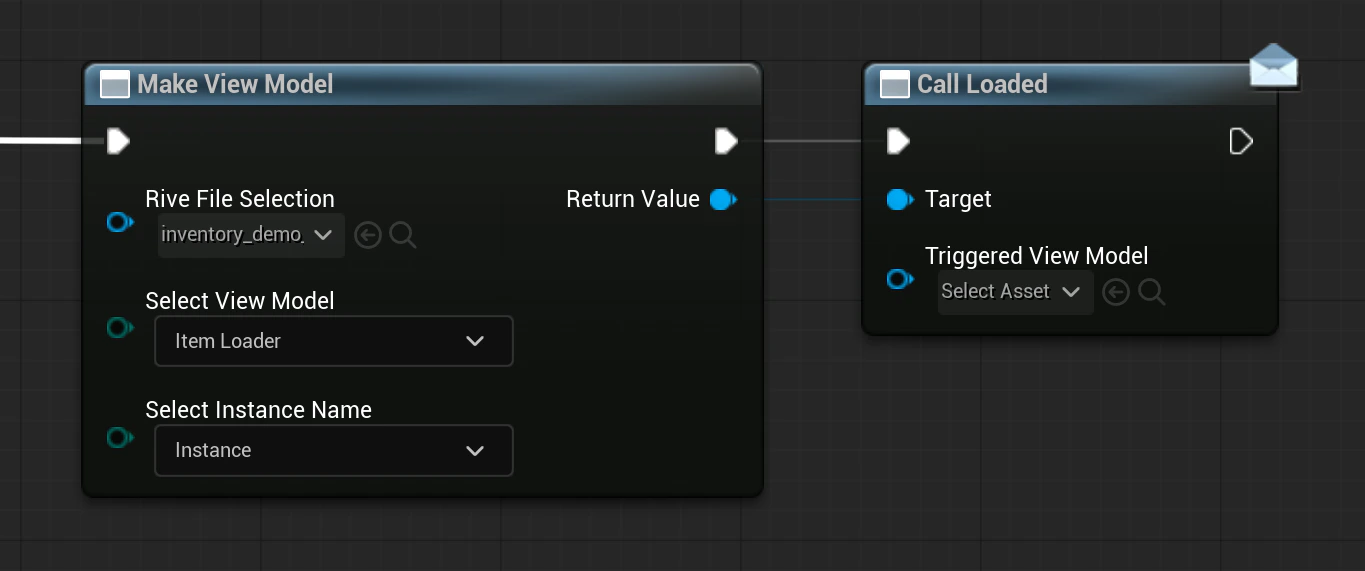
- Fire the trigger from Blueprint using Call .
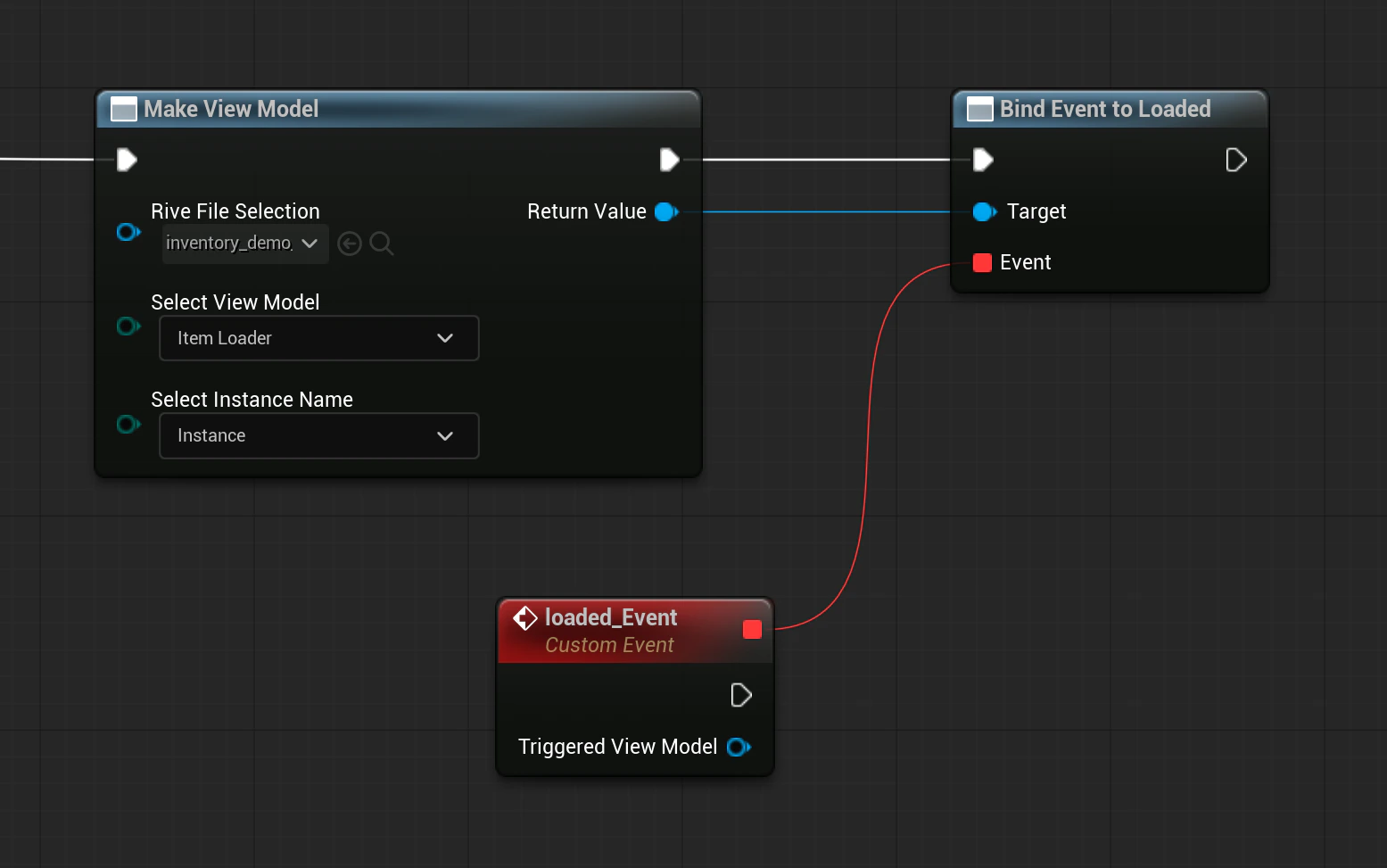
- Respond to the trigger in Blueprint using Bind Event to .
Blueprint Setup
- Create a Rive widget from your imported
.rivfile. - Create a ViewModel Instance using Make View Model.
- Assign that instance to the widget/artboard.
- Keep a reference to the bound ViewModel instance.
Firing a Trigger in Blueprint
When you want to fire an event (button press, gameplay action, etc.), call the trigger function exposed on the bound ViewModel instance. Typical pattern:- Get your bound ViewModel instance reference.
- Call Call (for example
Call OnClick). - Pass any required inputs for the generated function signature.
Observing Trigger Results
If Unreal needs to react when the trigger is fired:- Use Bind Event to on the ViewModel instance.
- Handle callbacks synchronously during the update cycle.
- Unbind delegates before destroying the ViewModel instance.