Documentation Index
Fetch the complete documentation index at: https://rive-accessibility.mintlify.app/llms.txt
Use this file to discover all available pages before exploring further.
How to create a Scale Constraint
Add a Scale Constraint to an object
Use the Constraints section of the Inspector to add a Scale Constraint to an object.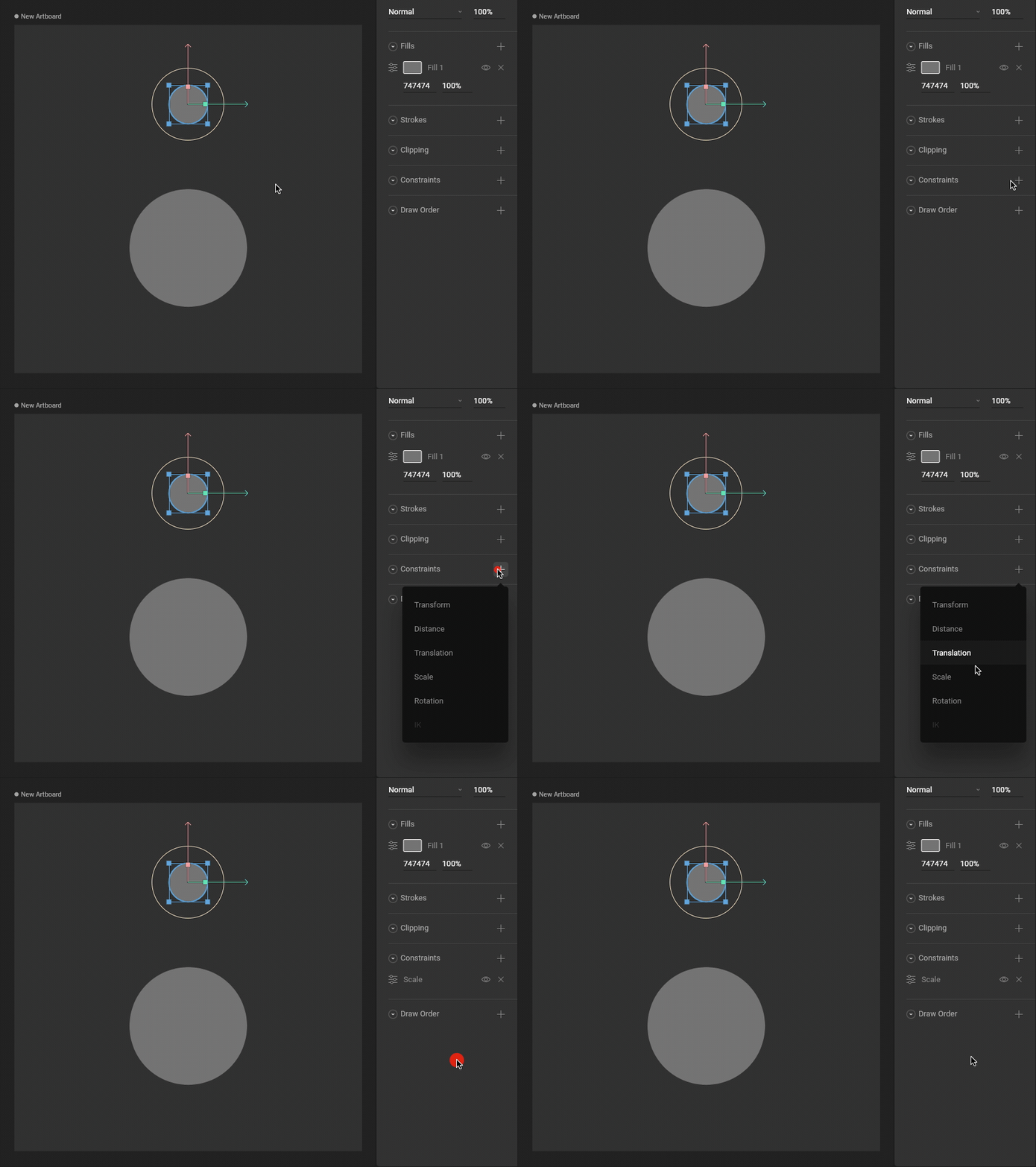
Choose a target
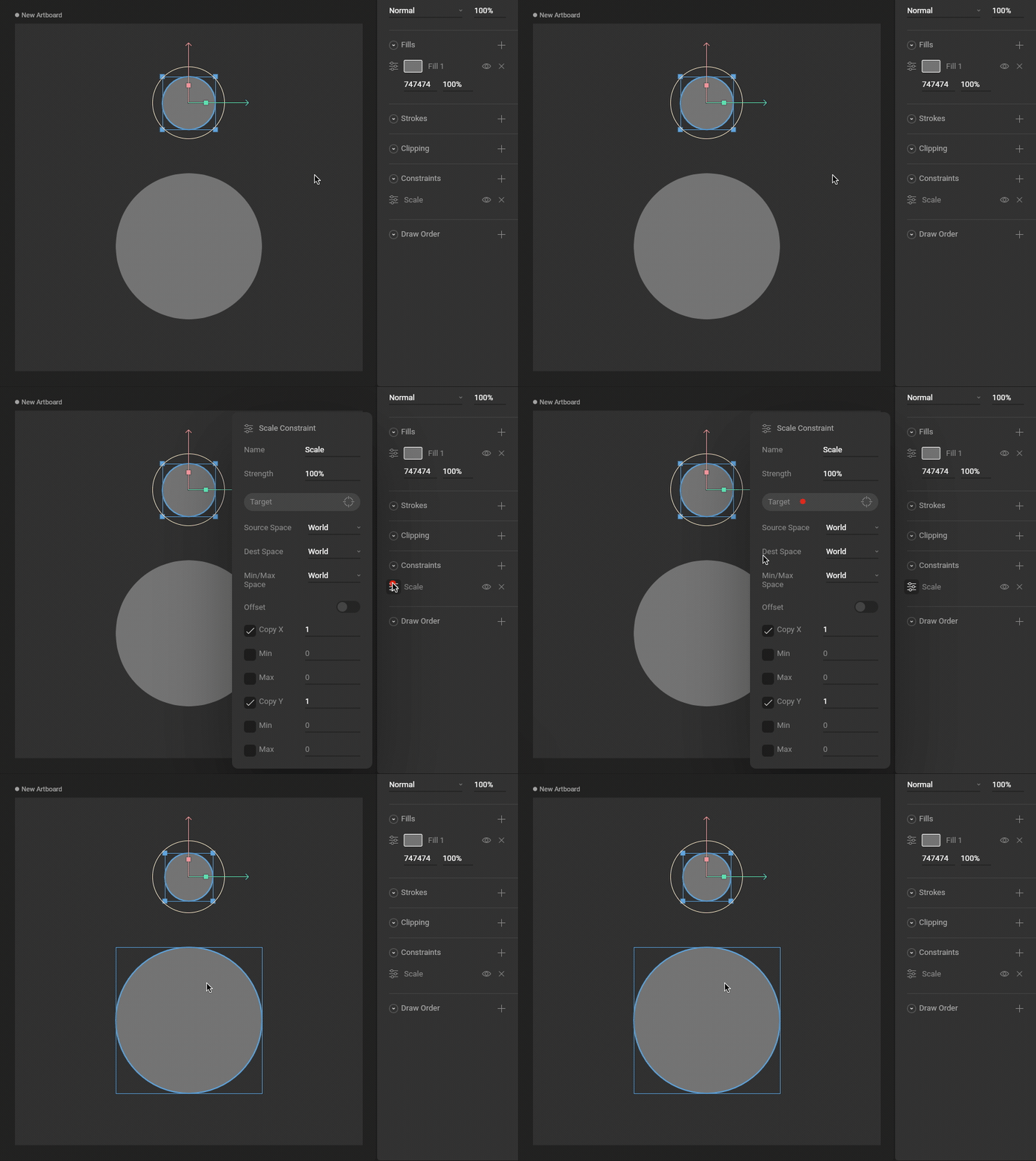 Use the new constraint’s fly-out menu to select a target for this constraint.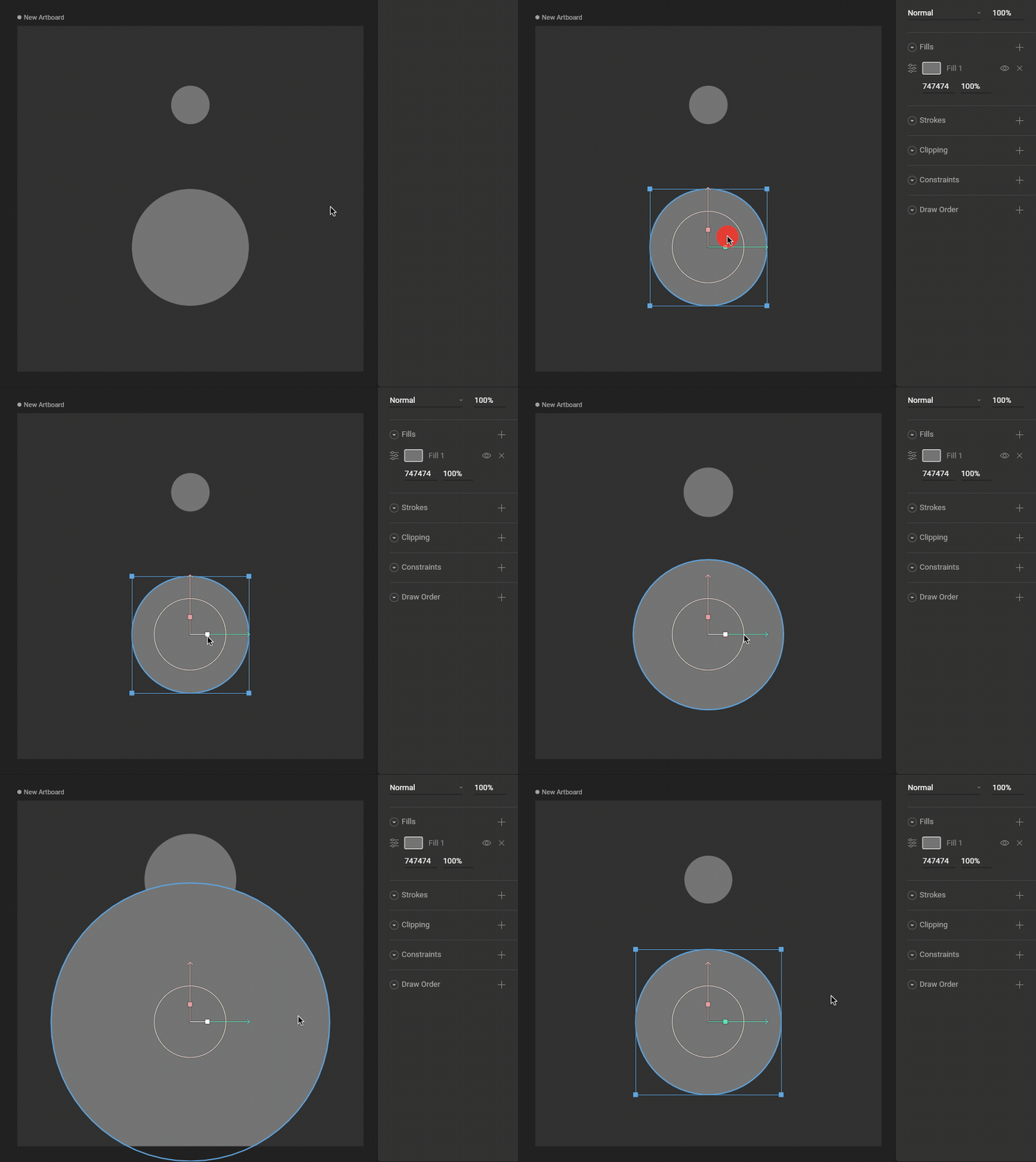
Test that the Scale Constraint is working
Manipulating the target object now causes the constrained object to Scale properties.
Strength
The Strength property determines how much the constrained object is affected.
A Strength of 0% means the constraint won’t have any effect.
A Strength of 50% means half the value from the target will be applied.
Source Space
Choose whether this constraint should use World or Local coordinates for the Source Space.
Destination Space
Choose whether this constraint should use World or Local coordinates for the Destination Space.
Min/Max Space
Choose whether this constraint should use World or Local coordinates for the Min/Max Space.
